
Basler and Zebra Camera Defect Detection Integration
Integrating AI defect detection with Basler pylon SDK and Zebra FXR90 fixed camera readers on combined tracking and inspection lines.
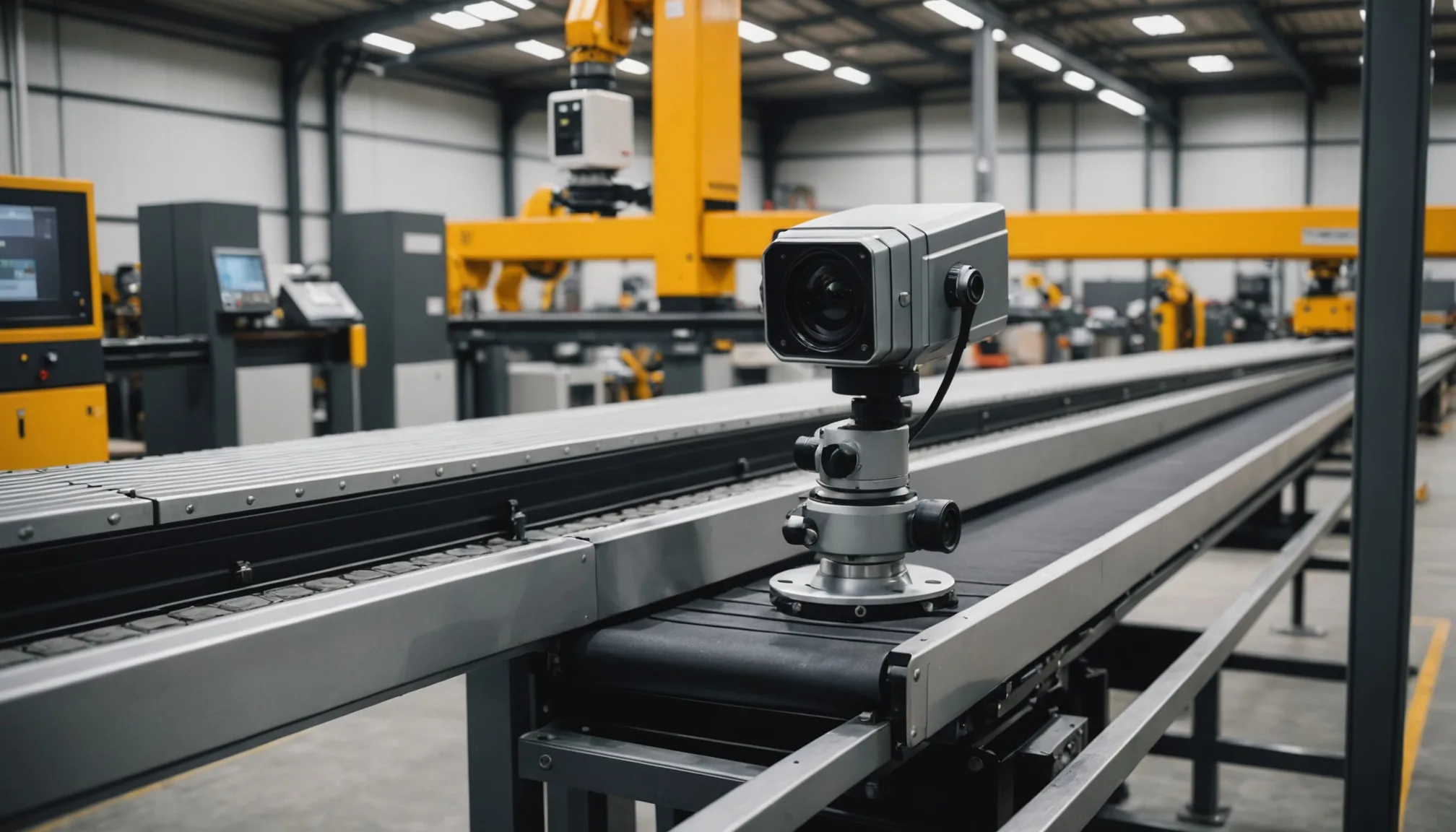
Most machine vision integrations start clean: one camera, one purpose, one data path. Then reality arrives. You get a production line where Zebra FXR90 readers are already handling RFID tracking and barcode capture, a Basler area scan camera is handling dimensional checks, and someone on the quality team wants AI defect detection layered on top of all of it. Without disrupting the RFID workflow. On a timeline measured in weeks, not quarters.
We've worked through this exact combination more than once. Here's what the integration actually looks like.
Why Basler pylon SDK Stays Attractive for Industrial Inspection
Basler's pylon SDK has earned its place in industrial inspection for concrete reasons. First: broad OS support. pylon runs on Windows and Linux without meaningful capability difference, which matters when you're deploying edge inference nodes on a mix of IPC hardware. Second: GigE Vision compliance means cable runs up to 100 meters from camera to controller without signal conditioning, a practical constraint that rules out USB cameras on large conveyor footprints.
Trigger modes are the real operational differentiator. pylon's hardware trigger input accepts 5V or 24V signals directly from most PLCs and encoder-based conveyor controllers. Software trigger works fine for slower lines. The key for AI inspection workflows is frame-accurate triggering: you want the camera to capture the part at the same position every cycle. Inconsistent capture position is the single largest source of false positives in deployed vision models. Not model quality. Trigger timing.
Area scan cameras in the acA series and the newer boost series both expose metadata alongside image payloads: timestamp, trigger counter, exposure time. Passing that metadata through to your inference pipeline is straightforward in pylon. In our experience, teams that ignore this metadata regret it during root cause analysis.
The Zebra FXR90: What You're Actually Working With
The FXR90 is a fixed reader that combines a 2D area imager with an integrated RFID antenna in a single enclosure. Zebra positions it primarily at conveyor choke points: inbound receiving, kitting stations, shipping verification. In practice, we see it deployed wherever a plant needs both barcode/QR decode and RFID read in a single station pass.
The camera element inside the FXR90 is a decode-optimized imager, not a defect detection camera. Resolution is adequate for reading codes and detecting gross visual anomalies, but it's not designed for the pixel density you need to catch hairline cracks, coating voids, or sub-millimeter surface defects. That's not a criticism. It's just scope. The FXR90 was built to read, not inspect.
The integration challenge is that plants running FXR90s have typically built their tracking workflow around Zebra's DataCapture DNA stack: Simulscan, WorkflowCentral, or a direct connection to their WMS. The RFID read and barcode decode events trigger inventory moves, compliance records, pack lists. Interrupting that data flow to add an AI inference layer is a non-starter for most ops teams. The integration has to sit alongside the Zebra workflow, not replace it.
Adding an AI Inference Layer Without Breaking RFID
The architecture that works most consistently is physically separate. Don't try to intercept the FXR90's output stream and route it through an inference engine before it reaches the WMS. That path adds latency to a workflow that warehouse and line teams have calibrated to specific cycle times, and any failure in the inference layer becomes a failure in the tracking workflow. Not acceptable.
Instead: add a dedicated Basler camera at or near the same station, triggered by the same PLC signal that triggers the FXR90. The two cameras fire in parallel. The Zebra device does its tracking job. The Basler camera sends its frame to the AI inference engine. Results from the inference engine go to a separate defect log, dashboard, or reject signal, depending on the line configuration.
This is not the most elegant architecture. It requires mounting a second camera, routing a second trigger signal, and commissioning a separate IPC for inference (or co-locating the inference process on an existing edge node if compute budget allows). But it's operationally isolated. An inference node crash does not affect RFID reads. A model retraining deployment does not require touching the Zebra stack. The teams that own each system stay in their lanes.
Trigger coordination matters here. If the FXR90 and the Basler camera both trigger from the same PLC output, verify that the electrical load doesn't cause edge-rounding on the trigger signal. On older PLCs with solid-state relay outputs, we've seen trigger signal degradation with two devices on the same output. Use a signal splitter or a secondary output channel.
LandingLens Model Export and the Zebra Customer Advantage
Here's a practical point that often gets overlooked: many mid-size manufacturers who are considering AI defect detection already have some labeled inspection data. Sometimes that data was built inside LandingLens, Landing AI's annotation and training platform. If you're integrating with a Zebra customer who trained their initial defect dataset in LandingLens, you have a meaningful head start.
LandingLens exports models in ONNX format, which runs on any ONNX-compatible inference runtime. That includes ONNX Runtime on Windows and Linux, TensorRT on NVIDIA hardware, and OpenVINO on Intel. You can take a model trained and validated inside LandingLens, export it, and run inference against Basler camera frames without rebuilding the dataset from scratch.
The relabeling burden is real. In our experience, asking a quality team to re-annotate 2,000 defect images because you switched inference platforms is a project-killer. It takes 3 to 6 weeks of technician time depending on defect complexity and label granularity. ONNX portability sidesteps that. The label taxonomy carries over. The class definitions carry over. You validate performance on new hardware and new camera optics, which you should be doing anyway, but you're not rebuilding from zero.
This doesn't apply in every situation. If the existing dataset was built in a proprietary format that doesn't export cleanly to ONNX, or if the original camera geometry is significantly different from the new Basler installation, full retraining may still be necessary. But for Zebra FXR90 customers who have any LandingLens history, it's worth auditing the export path before assuming a full relabeling effort.
Trigger Configuration Recommendations for Basler Additions to Existing Lines
When you're adding a Basler camera to a line that was not designed for it, trigger configuration is where the integration usually runs into trouble. A few specific recommendations:
Use hardware trigger, not software trigger. Software trigger introduces latency variability that depends on the host OS scheduler. On a line running at 30 parts per minute that tolerance is fine. At 120 parts per minute, it isn't. Hardware trigger from the PLC encoder output gives you sub-millisecond repeatability.
Set exposure time based on measured conveyor speed, not default values. The pylon SDK exposes ExposureTimeAbs in microseconds. For a part moving at 0.4 m/s, you typically need exposure under 500 microseconds to avoid motion blur at defect-relevant feature sizes. Calculate the maximum part velocity, decide on acceptable blur tolerance in pixels, back-calculate the exposure ceiling. Default exposures of 5-10ms will produce blurred images on any production conveyor.
Verify line lighting separately. The FXR90 has its own integrated illumination for decode. That lighting is optimized for contrast on codes, not for surface defect visibility on your specific part geometry. Your Basler camera needs its own lighting, typically structured illumination or coaxial, depending on what defect types you're targeting. Don't assume the existing station lighting is adequate.
Log trigger counters from pylon alongside inference results. When a defect is flagged, you want to correlate it back to a specific part and a specific RFID read. The cleanest way to do this is to match pylon's built-in trigger counter to the RFID event log by timestamp. Zebra's reader outputs event timestamps in ISO 8601 format; pylon timestamps are system clock by default. Align both clocks to NTP before go-live or you'll spend your first week debugging phantom correlation failures.
Practical Scope for Mid-Size Manufacturers
Not every recommendation in the machine vision integration literature is written for plants running two or three inspection stations with a handful of part numbers. We work primarily with regional manufacturers in the Midwest and Mid-Atlantic. The integration patterns above are sized accordingly: single-station additions, existing Basler or Zebra hardware already on the floor, small labeled datasets from prior quality efforts.
For that scope, the Basler + Zebra + ONNX inference combination is one of the more practical paths to AI-assisted defect detection without a wholesale line redesign. The individual components are proven. The integration surface is manageable. The failure modes are understood.
If you're evaluating whether this architecture fits your line, the questions worth answering first: what is your current trigger signal source, what labeled data do you have and in what format, and is your inference target a pass/fail binary or a defect classification with location output? The answers shape every subsequent decision in the integration.
Practical note: Before committing to any specific camera model or trigger configuration, pull the timing diagram from your PLC documentation and overlay it against the conveyor encoder output. Trigger alignment errors account for roughly 40% of the integration issues we diagnose on initial site visits. Confirm the timing first.
Working through a Basler or Zebra integration for AI defect detection? Talk to our team about your line configuration.